01
Capture the page cleanly.
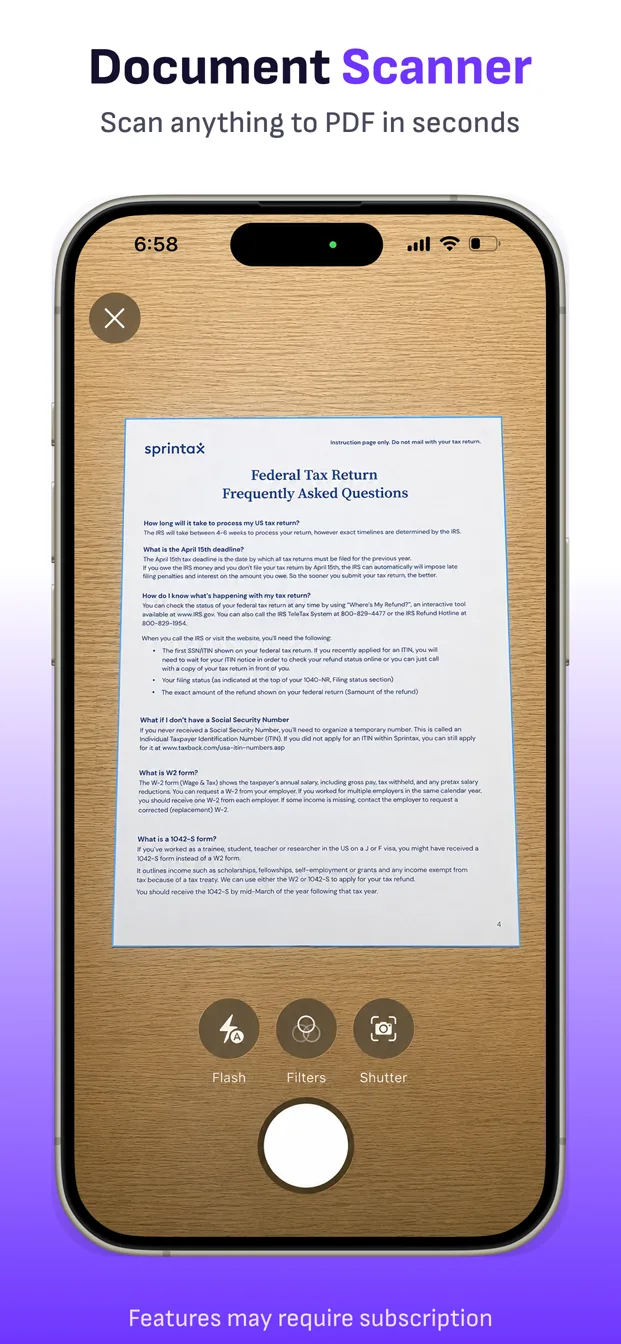
Automatic edge detection finds the sheet. Perspective correction straightens it, with crop controls when you want the final say.
PDF document scanner for iPhone & iPad
Capture a document, fix the edges, clean up every page, extract text, sign, and send—without turning your paperwork into a camera-roll project.
From paper to sent
ScanFile is built around the steps that happen after the camera shutter—not only taking a picture.
Automatic edge detection finds the sheet. Perspective correction straightens it, with crop controls when you want the final say.
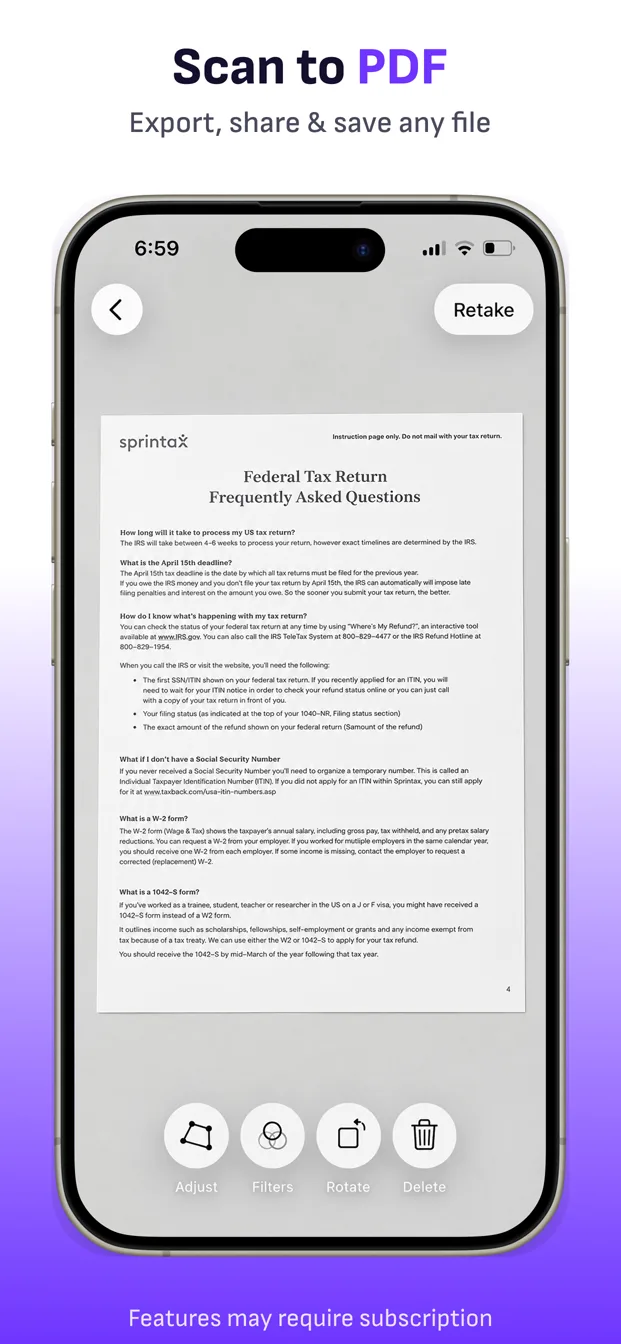
Add camera pages, photos, image files, or PDFs. Reorder, rotate, retake, delete, and choose the right document filter.
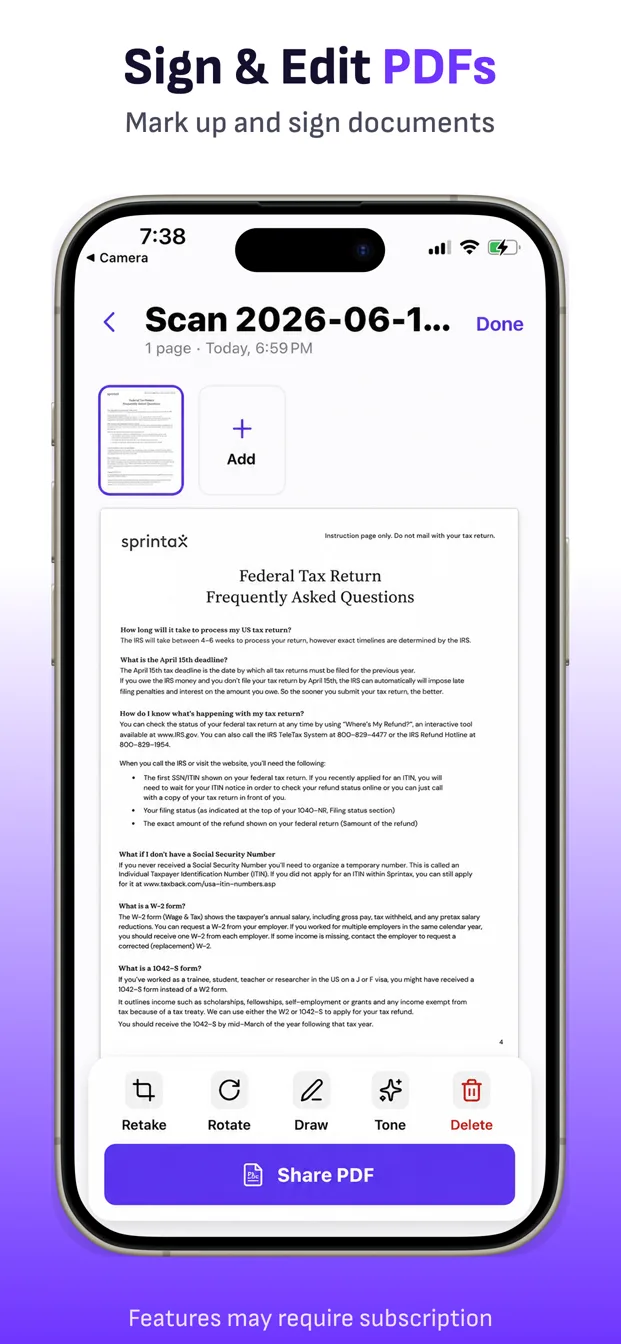
Extract text, add a signature or drawing, then export as PDF, JPG, or PNG through Files, Mail, AirDrop, Messages, and more.
Everything you need
Competent scanning is a chain: capture, correct, review, edit, organize, and export. ScanFile keeps that chain together.
Detect edges, correct perspective, adjust the crop, and retake the page when needed.
Explore scanningCombine pages, reorder them by dragging, rotate, replace, delete, and add more later.
Explore PDF toolsExtract and copy text from a saved document without sending its contents to ScanFile.
Explore OCRDraw, annotate, or place a signature directly on a page before you share it.
Explore signingKeep natural color or switch to color, grayscale, or black-and-white cleanup for text-heavy pages.
Bring existing photos, image files, and PDF pages into the same review workflow as new scans.
Rename documents, search the library, filter recent or multipage scans, and sort the way you work.
Share a full PDF or export page images as JPG or PNG through the apps and destinations you choose.
Feature availability can depend on device and operating-system capabilities.
Why a dedicated scanner?
A camera photo is usually the start of the job. ScanFile gives you one repeatable place to straighten pages, keep a packet together, pull out text, make edits, and produce the file someone actually asked for.
See every ScanFile featurePrivate by design
Your scans, recognized text, edits, and exported PDFs stay on your device unless you choose to share, export, or save them somewhere else.
Built for real paperwork
Capture expense records before thermal paper fades or disappears.
Scan, sign, and return paperwork when there is no printer nearby.
Keep handouts, assignments, notes, and multipage packets together.
Make clear copies of IDs, insurance cards, and travel documents.
Organize warranties, medical paperwork, tax records, and important mail.
Turn signed pages, customer forms, and job-site paperwork into files fast.
Early App Store feedback
ScanFile is new. The proof is still early, so we show the feedback we actually have—not a manufactured user count.
See ScanFile on the App Store★★★★★“The results look like what I get from the giant machines.”
★★★★★“A very convenient app for scanning and storing documents.”
Start with the real workflow
Download ScanFile and put your own paperwork through the complete capture-and-review flow before deciding whether Pro belongs on your phone.
Current U.S. offer. Apple shows the final localized price, eligibility, renewal, and trial terms before purchase.
ScanFile guides
Task-specific walkthroughs for the searches people make when they need paperwork handled now.
Go from one paper page to a clean, shareable PDF.
Read guide MULTIPAGE PDFKeep a form, contract, or packet together as one file.
Read guide SIGN & SENDReturn signed paperwork without a computer or printer.
Read guide OCR TEXTRecognize and copy text from paper using your iPhone.
Read guide PHOTO TO PDFImport existing pages, clean them up, and combine them.
Read guide RECEIPTSCreate expense records before the original paper fades.
Read guideFrequently asked questions
Receipts, forms, contracts, class handouts, notes, invoices, IDs, insurance cards, tax documents, and other everyday paperwork that fits clearly in the camera view.
Yes. Capture or import multiple pages, reorder them, rotate or replace individual pages, and export the result as one PDF.
Yes. Bring in existing photos, image files, or PDF pages and review them in the same document workflow.
Yes. Use the Text action on a saved scan to recognize and copy text on your device. ScanFile does not upload the document to its own server for recognition.
Yes. Add a signature or draw directly on a page, then export and share the completed document.
Export a complete document as PDF or share page images as JPG or PNG through the destinations available on your device.
Scans are kept in a local ScanFile library on your device. They leave the device only when you choose to export, share, or save them elsewhere.
ScanFile includes up to three saved scan documents. ScanFile Pro unlocks unlimited saved documents and watermark-free export. Apple displays the final price and trial terms before purchase.
ScanFile for iPhone & iPad
Open the App Store or scan the code with your phone.Download it free and scan your next document in seconds.